
Where educators dream, AI builds, and together they teach.
A suite of AI-built teaching tools — interactive concept labs, audio recaps, a study assistant and exam practice; quizzes that run themselves, an AI role-play coach and pitches marked live; and a weekly read on how the cohort is doing.
Understand & revise
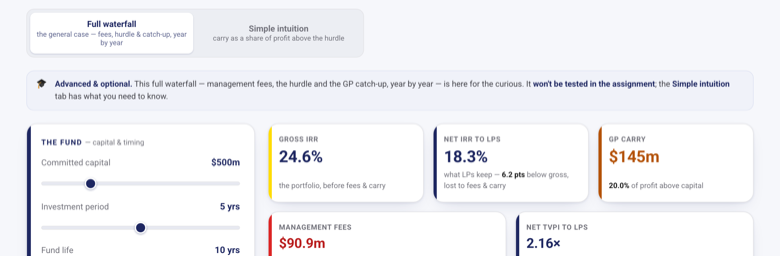
Concept Labs
Interactive models for the ideas a slide can’t teach — the ones students only grasp by building them.
See how it works
- Take the concept that won’t stick. The ones where a single number ripples through everything else — worth playing with, not just re-reading.
- The student drives the model, not a slide. They move the inputs and the whole picture redraws live — no setup, nothing to install, all in the browser.
- Nothing is hidden. Every figure is explained, with a “how the maths works” panel and a plain-language glossary one click away.
- Learn by consequence. Push a term to its extreme and see who gains and who pays — the intuition sticks because the student caused it.
- Ready for the graded work. A worked example means no blank page, so they walk into the case or exam confident with the moving parts.
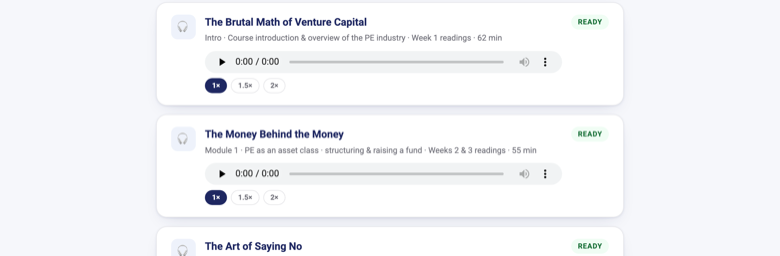
On Air
Each module’s readings become an audio conversation for the commute.
See how it works
- Built from the readings themselves. Each module’s required readings become one AI-generated audio conversation — two hosts, in plain language, walking through the key arguments.
- Earned, not handed out. The recap stays locked until the student has put in that module’s work — so the reading and the thinking come first.
- Made for dead time. A podcast they play on the walk in or at the gym — at 1×, 1.5× or 2× — turning time they weren’t going to read anyway into revision.
- A companion, not a shortcut. It refreshes the ideas and ties them together; the exam and the graded work still test the readings themselves.
- One per module, as the term unfolds. A fresh episode lands with each module, right where the student already tracks the week’s work.
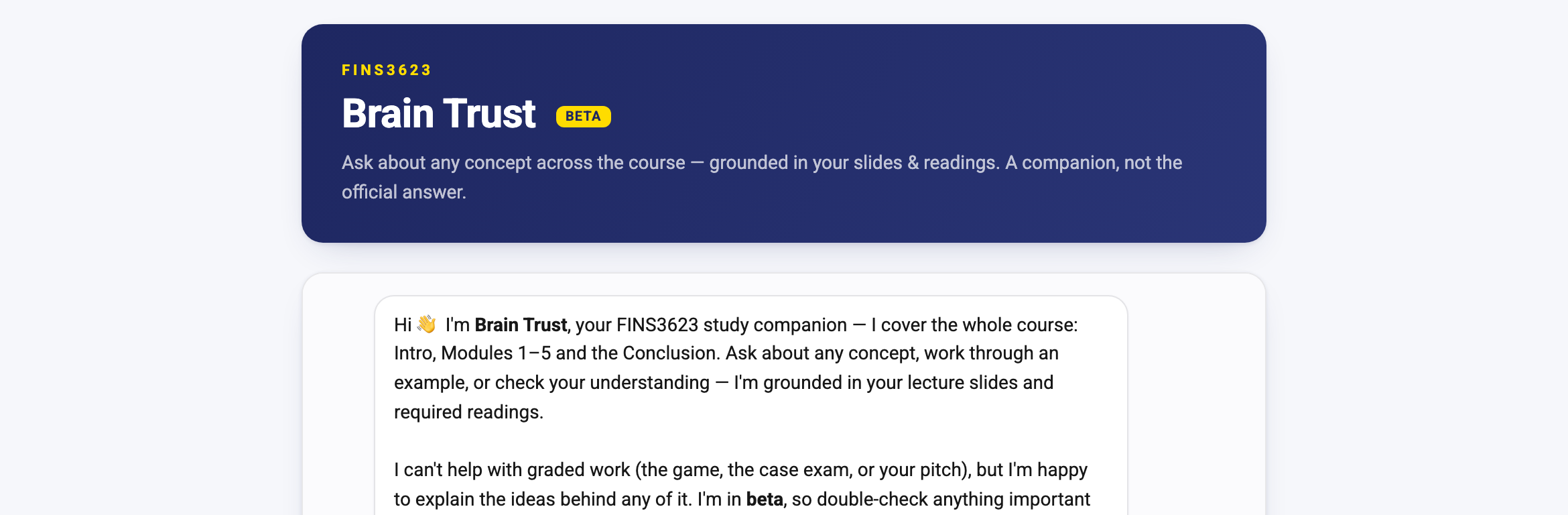
Brain Trust
Ask anything across the whole course and get a grounded, plain-language answer.
See how it works
- Grounded in the course’s own material. It retrieves the most relevant passages from the lecture slides and set readings and answers from those — not the open web.
- The whole course, one place. Every module from the first lecture to the last — concepts, definitions and worked examples — asked in plain language.
- Explains, never does the graded work. It walks through the ideas and worked examples but won’t complete quizzes, exams or assignments — those stay the student’s.
- A companion, not the official source. It points back to the set readings and the course’s own materials for anything that counts toward a grade.
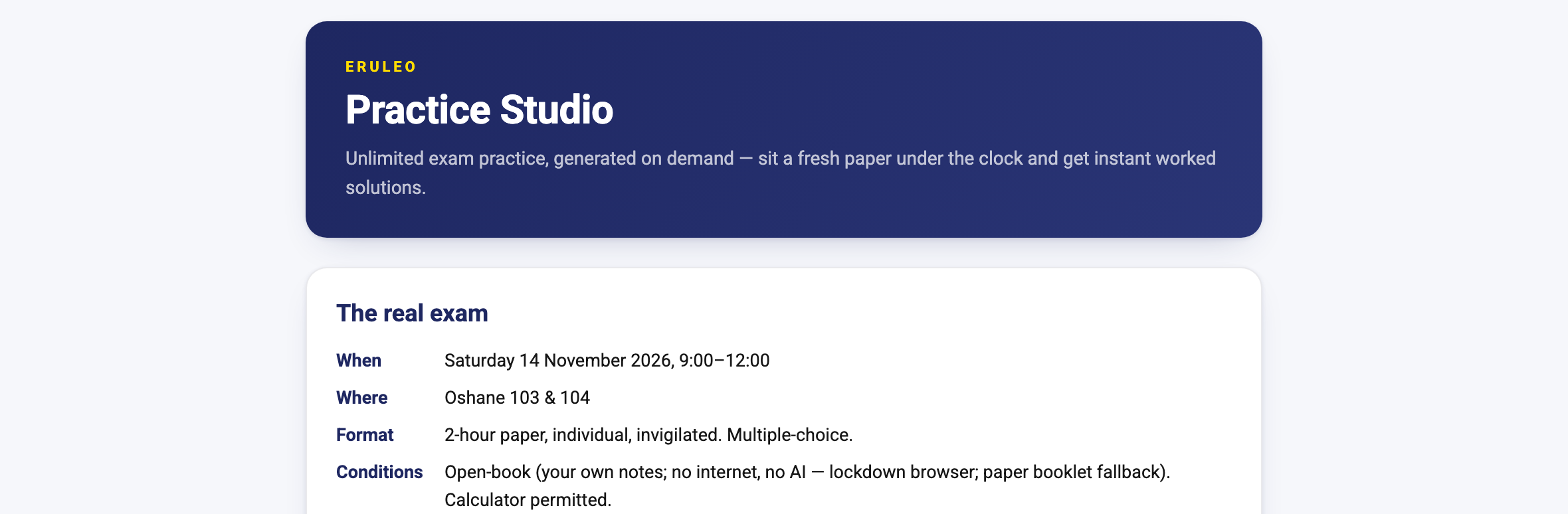
Practice Studio
Unlimited exam practice, generated on demand — sit a fresh paper under the clock and get instant worked solutions.
See how it works
- Practise, don’t cram. Work through questions and get instant feedback with a full worked solution — every step explained, not just marked right or wrong.
- A fresh paper, checked by more than one AI. Generate one tailored by topic, difficulty and focus — every number is computed correct by construction, then a second model independently reviews it before it reaches a student.
- Mock the real thing. A timer mirrors the exam — sit it, then review every answer against the model solution.
- Grounded in what’s taught. Every question is built from the course’s own material, so practising it is practising for the real thing.
- Yours to repeat. Practise as often as you like, download the paper and solutions as PDFs, and track your own progress.
Assess & give feedback
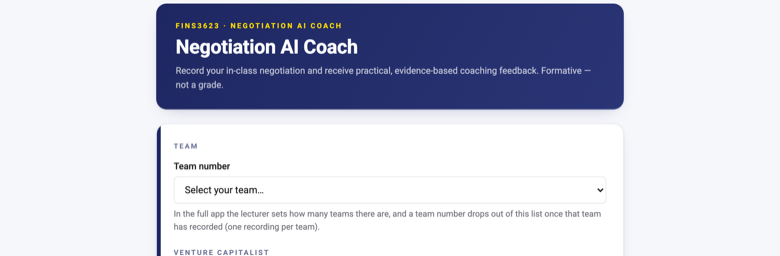
Role-Play AI Coach
An AI sits in on every group’s role-play and writes each team its own feedback.
See how it works
- Record & transcribe. The group records its live role-play on a laptop or phone — ordinary room audio, nothing to install — and it is transcribed with each speaker identified by role.
- Assess against the literature. The transcript is read against the principles in the subject’s standard texts — the benchmark for what good and poor practice look like.
- Scored and benchmarked. Where the exercise has a measurable outcome, the result is computed in code — measured, not estimated by the AI — and each group is benchmarked, anonymously, against every other group that ran the same exercise.
- Report. Everyone gets a plain-language report: what happened, what was missed, the turning points, and one concrete change to make next time.
- A debrief pack for you. You also get a summary across all the groups — what happened in each and the most important points to raise in the post-role-play debrief with the class.
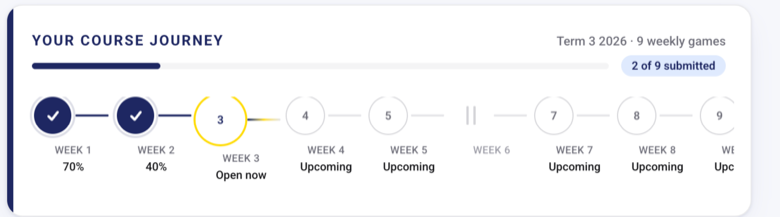
Weekly Recall Game
A short quiz builds itself from your slides and readings every week — and keeps score.
See how it works
- Set up once, at the start. You load the course’s slides and readings up front; from these the game builds every week’s questions and answers automatically, each mapped back to the exact slide or reading it came from.
- A short round each week. A quick set opens from that week’s material — multiple-choice and short answer, one attempt, pausable until it closes. Minutes, not an evening.
- Marked instantly and fairly. Auto-graded, with a randomised set per student, so it’s their own understanding being tested.
- See where you stand. A weekly and term-long class leaderboard — low-stakes each week, but it counts toward the course grade, so it pays to keep up rather than cram.
- Targeted review after it closes. When the window ends, students get the answers, the reasoning, and the exact slide or reading each question came from.
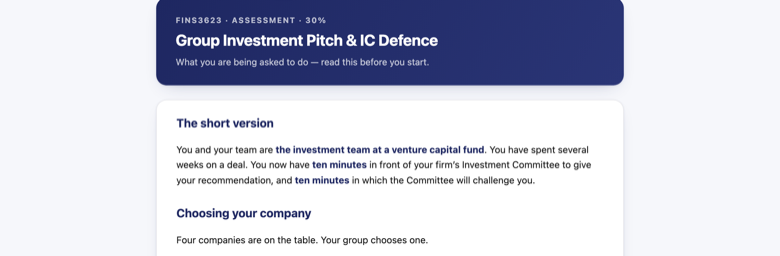
Group Presentations at Scale
Groups form, book, present and get marked — all in one place, at any class size.
See how it works
- Groups and topics sort themselves out. One student starts a group, shares the code, the rest join — sizes capped, stragglers pooled. Each group then claims its case first come, first served.
- Students book their own slot. You open the times — parallel rooms, evenings, extra sessions — and groups take one each, confirmed by email. Every slot carries a named tutor. You never build a timetable.
- They present in the browser. Click Join and you are in — video, screen share, no accounts, no downloads. One switch moves every session to Zoom or Teams instead.
- You mark it live, then moderate. You and each tutor score your own groups from a phone, deck to hand. Nothing is released until you have second-marked blind and compared tutors.
- And the quiet one: who actually did the work. Each student rates their own group, confidentially — you see what each person received, not who said it.
Run the course
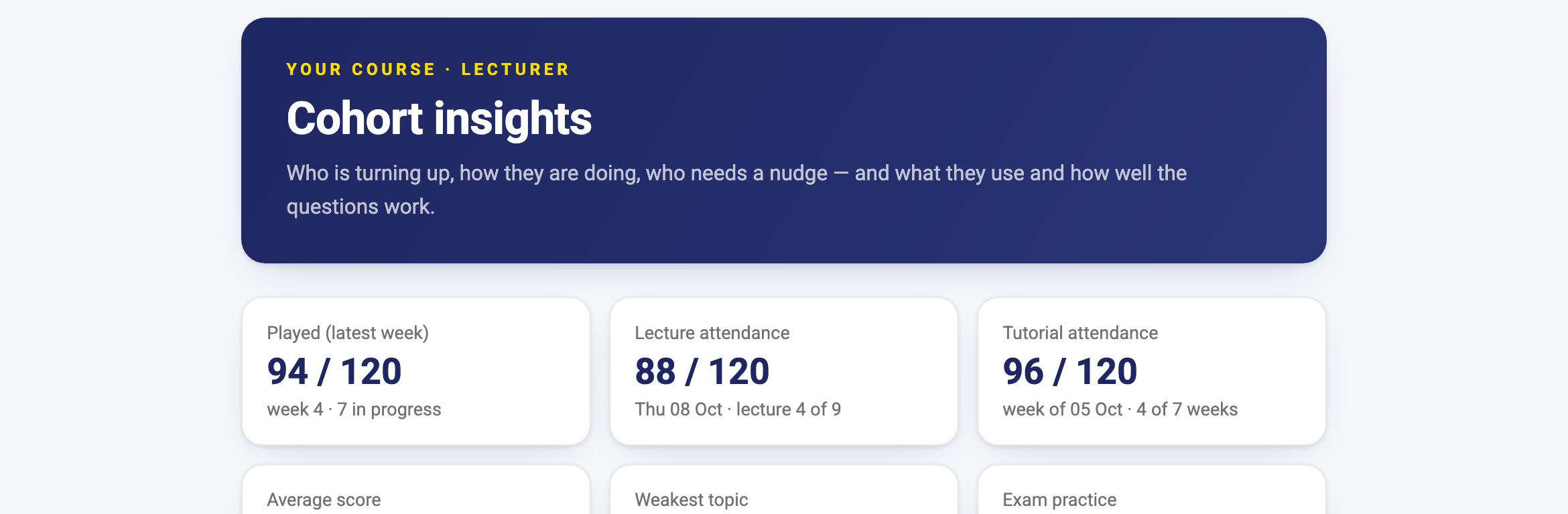
Cohort Insights
See how the whole cohort is doing each week — and what to do about it, and who should do it.
See how it works
- Your whole course in one view. Participation, attendance, weekly results and how students use every tool — collected as they learn, so there is no spreadsheet to build.
- The “so what”, not just the numbers. Plain-language takeaways, most urgent first: what you see, why it matters, the next step — and whether you or your tutors are best placed to act.
- Problems surface while there is time to act. Students who haven’t started, attendance marks at risk, a quiz question that may have the wrong answer key, a topic the cohort hasn’t grasped.
- Know what actually gets used. Which tools students come back to, how much of each video and audio recap they really watch or hear, which labs they work through, and what they ask the AI assistant about.
- A weekly briefing for your teaching team. Every week an email lands with that week’s takeaways, each role seeing what it needs. Counts and trends, not surveillance — no student is named outside your own view.
FINS3623 is for UNSW enrolled students · educators interested in discussing it, say hello